Your recipe book on every device.
The app is free. Sync is optional.
Save recipes from any website, bring your Paprika recipes over, and see the amounts in each step as you cook. On Mac, Windows, iPhone and Android.
I’ll email you once, when it launches.
Get your recipes in without typing them out
Save from your browser or your phone, or bring your whole Paprika library over in a few minutes.
Save from NYT Cooking and other paid sites
With the Gratin Chrome extension, one click saves the recipe you're looking at. It works on sites you pay for, like NYT Cooking, because you're already signed in.
Get the Chrome extension →Paste a link, or share from your phone
Paste a recipe link on your computer, or tap Share on your phone and choose Gratin. You get the ingredients, steps and photo, without the ads and the life story.
Bring your Paprika recipes, folders and all
Paprika’s own export loses your folders. Gratin signs in to your Paprika account, or uses your Paprika export file, and brings everything over with your folders, photos and notes.
The amounts are in the steps
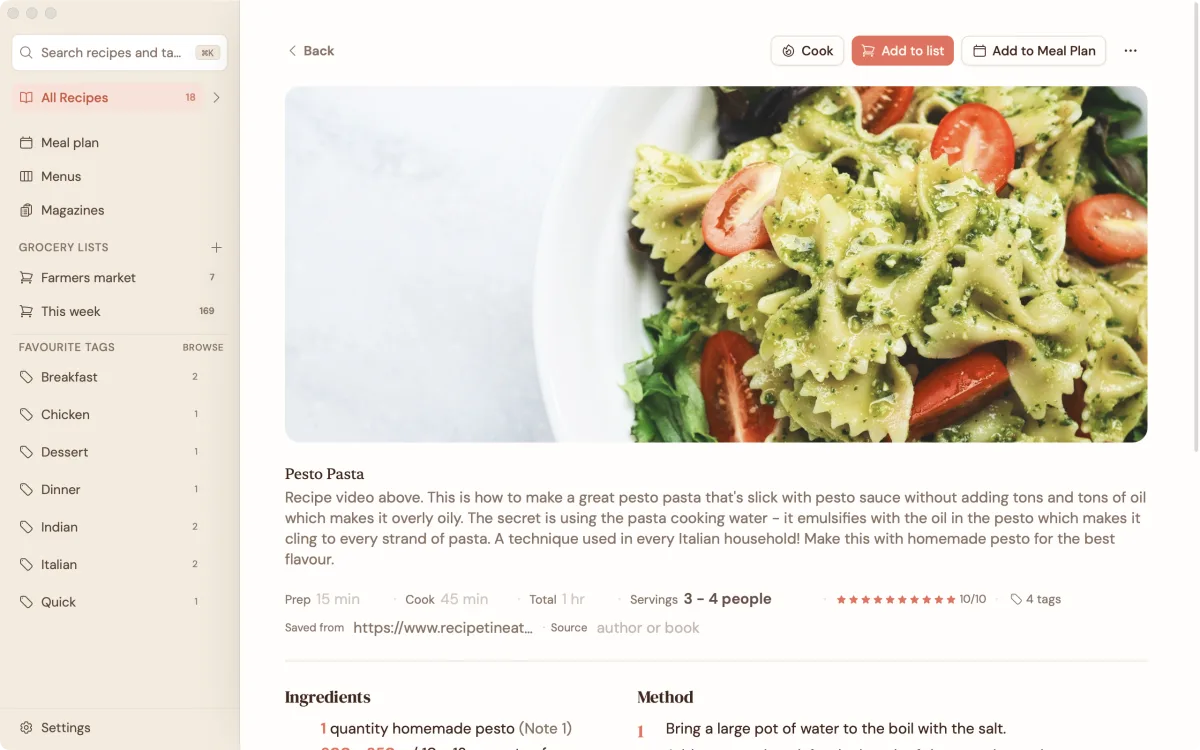
No more scrolling back up to check whether it was two teaspoons or two tablespoons: each step shows its own amounts. Change the servings and they all update. You can also show ingredients in the order you use them. Weights can show in grams or ounces, and volumes in millilitres or cups.

Browse your recipes like a magazine
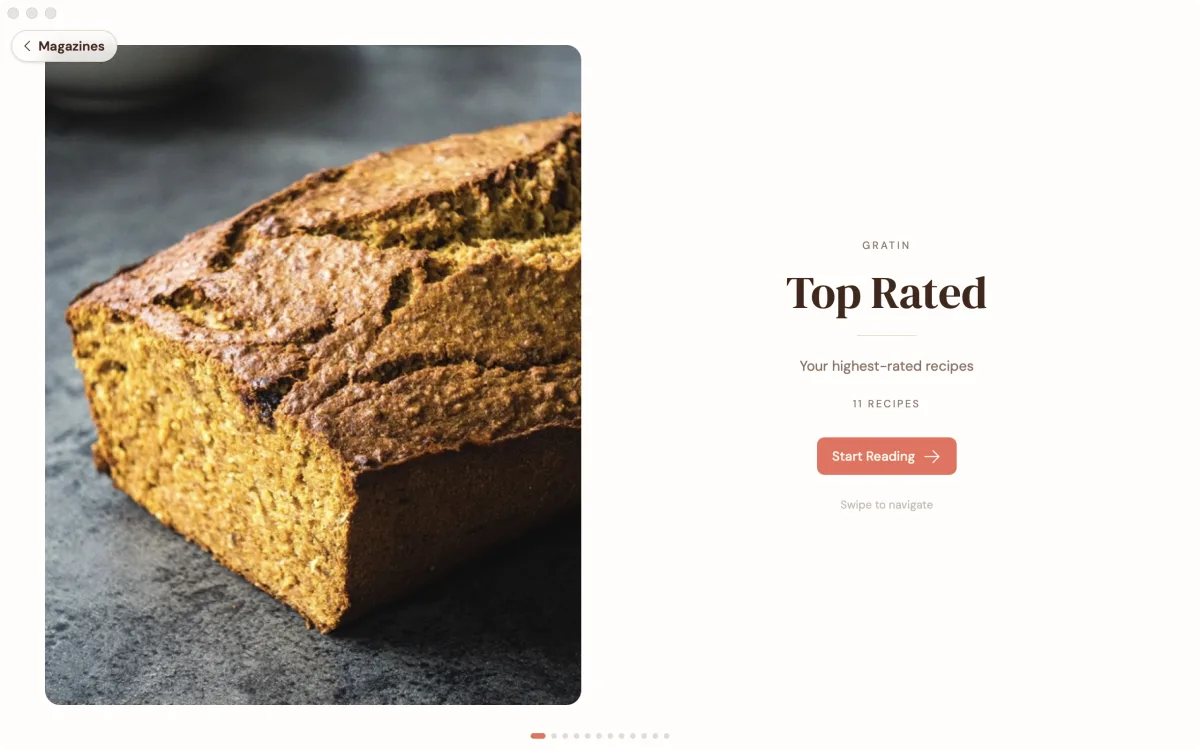
Any book, folder or tag can be laid out as a magazine, with big photos and a contents page, so you can flip through your own recipes when you're deciding what to make.

Plan the week, or a dinner party
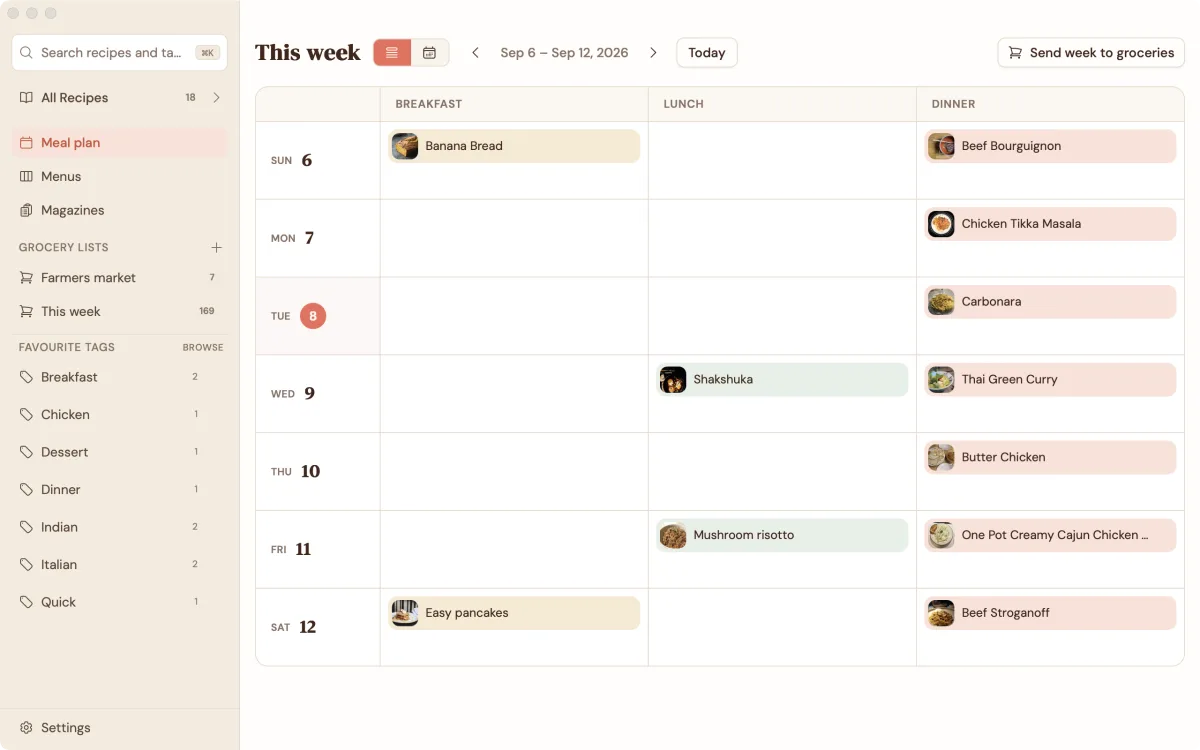
Drag recipes onto the days of the week, or put a few dishes together as a menu you can use again next holiday. Then add the whole plan to your grocery list in one click.

A grocery list you can shop from together
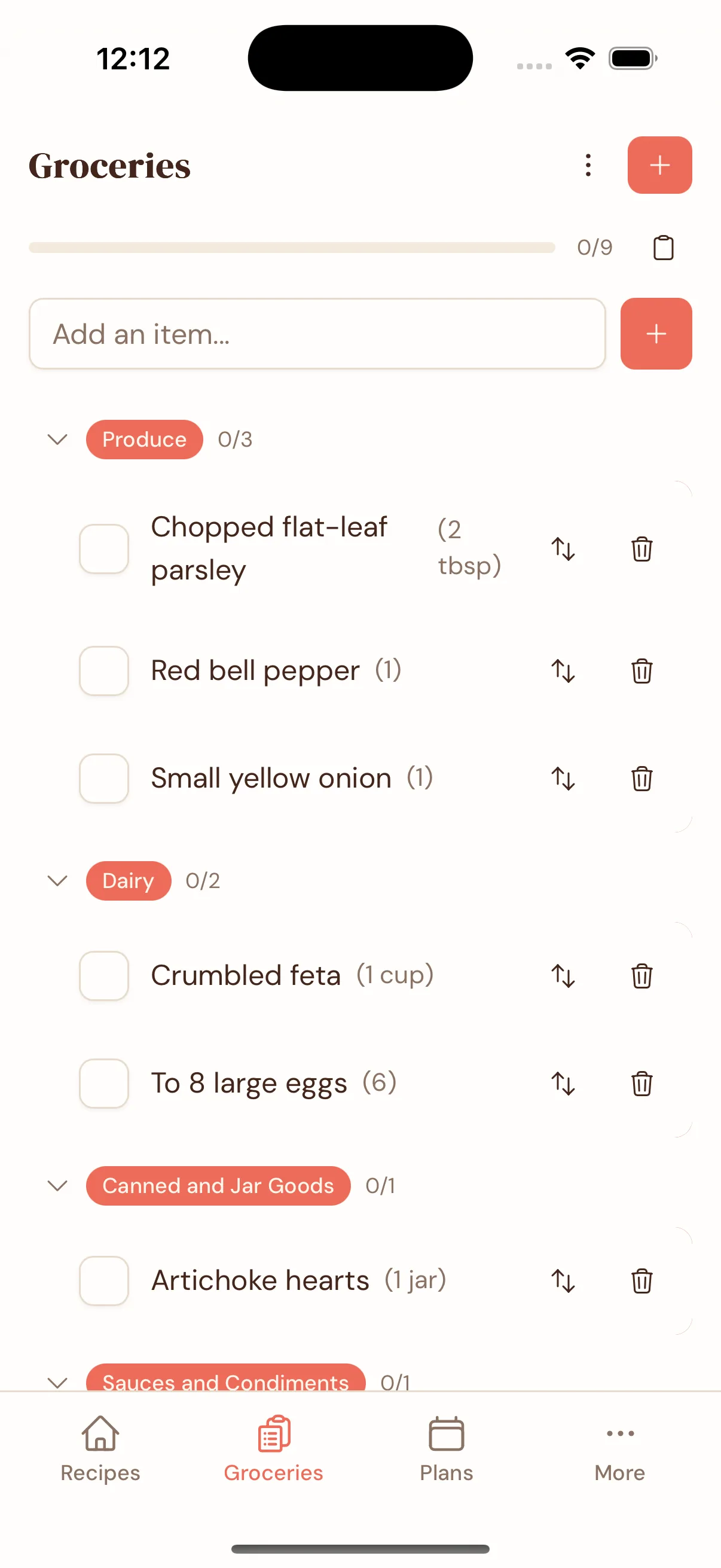
If two recipes need onions, you get one line for onions. The list is grouped by aisle, shows which recipe each item is for, and works in the shop even with no signal. Share a recipe book with your household and its grocery list updates live when you’re online.

Ask Claude or ChatGPT about your recipes
Gratin can tag your recipes, tidy them up and estimate nutrition on your own device. With paid sync, you can also connect Claude or ChatGPT and ask them to find recipes, scale them or plan your week. While that's switched on, our server keeps a readable copy of your recipes and the assistant sees what it reads. Switch it off and our copy is deleted.
It's off until you turn it on. In Settings you choose whether it can only read, or also change and add recipes.
If Gratin ever shuts down, you keep your recipes
Your recipes are saved on your own computer and phone, not just on our server. They open instantly and work offline.
Sync is encrypted on your device first. You can pay us to run it, run it on your own server, or skip it. And you can export everything to a standard recipe file whenever you want. How sync works →
Gratin next to Paprika, BigOven and AnyList
Full comparisons: Paprika · BigOven · AnyList · all 14 apps →
Prices and features are from each app’s own website. Trademarks belong to their owners.
The app is free. You only pay if we run your sync.
Every feature is in the free app. Pay if you want us to keep your devices in sync, or run sync on your own server for nothing.
The whole app. Use it on one device, or sync with your own server.
- ✓ The full app on Mac, Windows, iPhone and Android
- ✓ As many recipes as you like
- ✓ Import from Paprika, photos and folders included
- ✓ AI tagging, tidying and nutrition, on your device
- ✓ Works offline, no account needed
- ✓ Sync with your own server for free
- ✓ Export everything, photos included
We keep your phone, tablet and computer in sync, encrypted.
- ✓ Everything in Free
- ✓ Encrypted sync across all your devices
- ✓ 50 GB of storage, about 100,000 recipes
- ✓ Share recipe books with family or housemates
- ✓ Connect Claude or ChatGPT
- ✓ Cancel any time and keep all your recipes
Pay once for sync for the life of Gratin 1, at least 5 years.
- ✓ Everything in Yearly
- ✓ Sync for the life of Gratin 1, at least 5 years
- ✓ No yearly bill
- ✓ 50 GB of storage, about 100,000 recipes
- ✓ Shared books and Claude or ChatGPT included
- ✓ A discount on Gratin 2, if there ever is a paid one
Prices are in USD. Full pricing, and what the pay-once price covers →
Questions
How do I save recipes from websites?
You use your normal browser. On a computer, click the Gratin Chrome extension, or paste a recipe link into the app. On a phone, tap Share in Safari or Chrome and choose Gratin.
Does it work on NYT Cooking and other paid sites?
Yes, with the Chrome extension on your computer. It saves the page you're already signed in to. Pasting a link or sharing from your phone only works for recipes anyone can see.
What happens if I lose my phone or replace my laptop?
If sync is on, sign in on the new device and everything comes back. You can also export all your recipes, photos included, to a single file as a backup.
Can I share recipes with my family?
Yes. Share a recipe book with a read-only link so someone can cook from it, or an editing link so you can add and change recipes together. Its grocery lists are shared too. Sharing is included with Hosted sync. Only share links with people you trust: links can be forwarded, and you can't revoke one person's access.
Does Gratin have a dark mode?
Yes. Choose Light, Dark, Black or Paper in Settings.
Who can read my synced recipes?
Only you. Your recipes are encrypted on your device before they're synced, so I can't read them and neither can anyone else. The one exception is the Claude and ChatGPT connection: while it's switched on, our server keeps a readable copy so the assistant can use it. Switch it off and that copy is deleted.
Your recipes, on your devices
Gratin launches soon. Leave your email and I’ll let you know when it’s out.